Read a bunch of articles from @FediTips website about navigating the Fediverse and I want to summarize some stuff I learned as a beginner.
On instances (servers)
Smaller instances have higher moderator-to-user ratio which means server rules are more likely to be enforced (aka complaints/reports gets answered faster). In other words, it's easier to maintain a safe space when there's higher people per user who can handle when issues arise.
On the contrast, massive instances such mastodon.social are poorly moderated which may lead to negative experiences for users.
Because on the fediverse instances can communicate with each other, signing up to large servers, while it may seem like the most logical choice, isn't necessary to find like-minded people.
The Mastodon app available on the stores isn't the only way to access Mastodon instances on mobiles and tablets. There's at least two other beginner-friendly methods. Third-apps and web apps.
Popular third party Mastodon apps include but aren't limited to Elk and Phanpy.social. They provide different features and designs. Like the Mastodon app, multiple accounts from different servers can be easily accessed. An extensive list can be found on this page.
Web apps are like apps for websites without the spyware (sketchy permissions). Instances (servers) website can be installed as a web app through a web browser. These offer the same unique features as the server's website optimized for mobile, including the color scheme! Unlike apps, accounts in that server can be accessed (not sure if multiple accounts on the same instance can be easily switched).
There's no one way on accessing and interacting on the Fediverse. I keep the respective web app and Elk, using them interchangeably as each has their own cool features and designs.
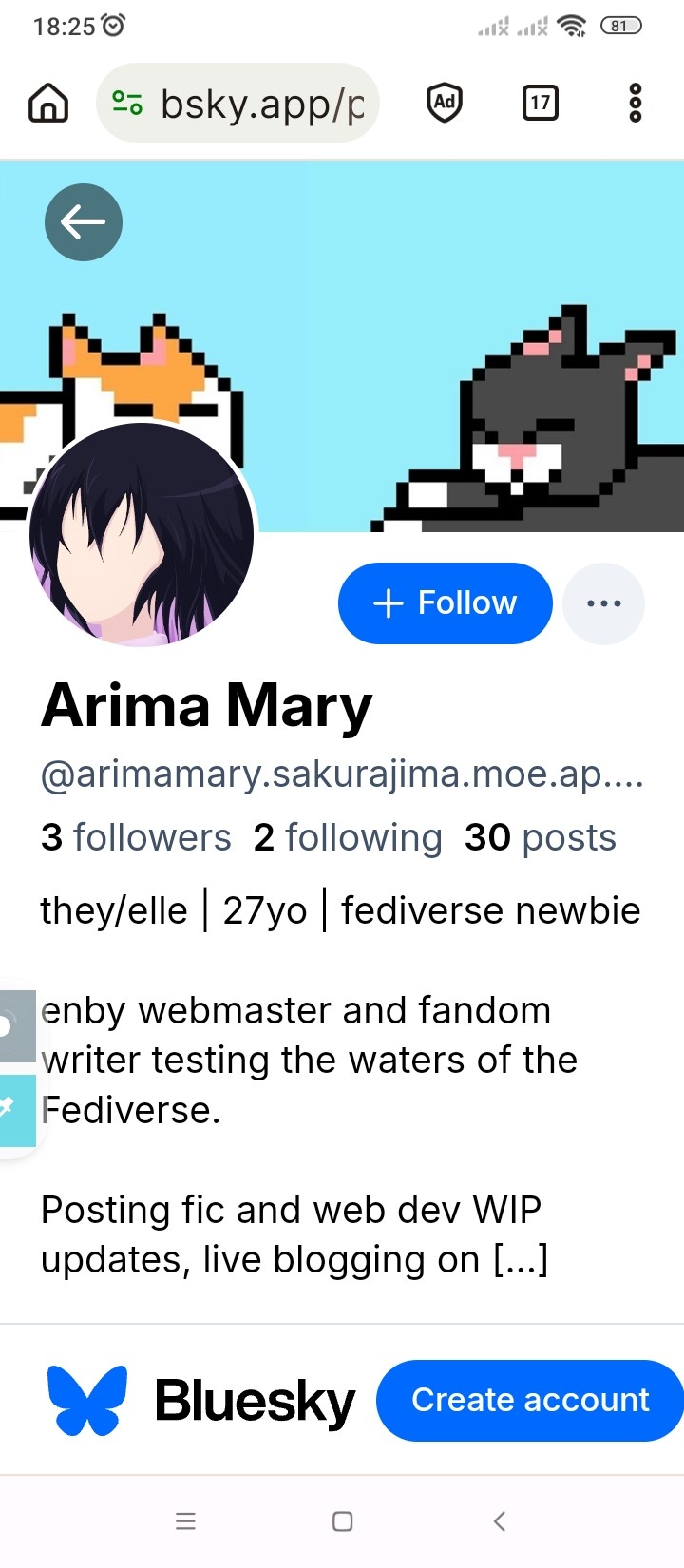
So here's a screenshot of my bridged profile in BlueSky. Seems it doesn't show any of my follows and followers from the Fediverse.
My profile is also cut off by what's most interesting to me is the number of posts bridged.
Figure 1. BlueSky profile through Bridgy Fed.Figure 2. Original fediverse profile for comparison.
My Fediverse profile shows I have 766 posts including reblogs and only 30 of those show in the BlueSky counterpart. That's a really low number and I need to find which posts get bridged and which don't
So for reblogs it seems only the ones from accounts that are already bridged appear in my bridged account. That makes sense. It means no posts from people who haven't opted in for their posts to be seem in BlueSky goes to those servers.
Also it seems only posts set as Public get bridged. Not Unlisted, Followers only, or DMs. So this post will not be seen in BSky
I think I know why none of my public posts since Nov. got bridged. It matches the dates I locked my account and changed other privacy features.
Since then, only reblogs seem to be public.
Well on the bright side, it's good to know many of my posts were truly public outside Fedi.
So I made a couple of public posts today and they did showed up in my BlueSky so it's not bc my account is locked. Now what does that mean?
Investigating popular low-code/now-code alternatives for personal sites.
Curious about low-code/no-code alternatives out there for personal sites. Gonna delve deeper into them and find what kind of information about these projects are available. Mostly because I'm curious of the potential risks users of those tools are vulnerable (like whether the tool is open source/closed source, or if the terms of use say their creations may be shared to third parties who are developing LLM/AIs; who owns the site/tools and where it's hosted; even the stated values behind the project).
I'm assuming the people using these non-AI tools have little knowledge of markup languages so they can't make their own sites from scratch but they are also against gen-AI.
Disclaimer: I'm not an expert on any topic covered here, just a very curious anti-capitalist individual who cares about people owning their data and the preservation of information in the web.
Straw.page
The site I have been most curious about is straw.page. I found the landing page and terms of service.
The whole thing seems pretty barebones. Not in a minimalistic way but in a highschool-garage-band kinda way. The site has the charm of an early-2000 website aesthetic with the chaotic presentation and basic TOS which is largely governed by UK laws. Doesn't mention anything about where/how it's hosted, designed with, nor about it being open-source. Nor if the created sites are accessible. From my use, they are kind of mobile-friendly because it depends on the webmaster's design (I think).
The landing page does say the paid plan has AI tools and analytics.
Nothing about the story behind this project either except that it's a one-person team (mentioned in the create page).
The drawing gimmick and textbox are the most attractive features to me. It's similar to a guestbook but the site deals with that. Plus there's a drawing option too!
All in all, I see the appeal! Might have used it years ago if markup made no sense to me. I hope it grows sustainably.
Carrd.co
Dang, wdym Carrd is owned by Google?! What in the world?!
So next up is carrd.co. Super common website builder alternative. I've seen lots of people use this. I even used to use it myself!
I went to their TOS and Privacy and it took me to Google's TOS and Privacy pages respectively. Personally, I don't think it tells me anything about the service. Mega corp owning personal websites is already a huge red flag to me.
I don't have the technical know-how to decode that TOS and Privacy policy.
I definitely do not like that people have to pay to download their site if they want to migrate off carrd. Massive red flag. Source.
Having used carrd was probably one of the many reasons why I got back into web dev. It's a really good tool one can tweak forever. Web dev for newbies. Very addictive.
Alternatives
I know that most people use carrd with the same intent linkt.ree was designed for so I'm gonna suggest two alternatives.
From moving my online presence to the small web on 2025, I've noticed some commonalities in how to get set up, from profiles to finding people to follow. I want to share that.
For reference, these are my current small web hubs: Fediverse, Mastodon, Dreamwidth, Pillowfort, Neocities.
Profile set-up
Apart from setting up a profile picture (and whatever extra graphics any particular site allows eg. banner, icons, etc), there's populating the profile description.
Because the small web is a community-centered space, I make it a point two offer two types of information: why I'm there, and what I offer (in my account). For example, in my Masto account, I'm "testing the waters of the fediverse" and I share "fic and web dev WIP updates, live blogging on stuff I'm playing/watching/reading, and promoting finished works". In contrast, my Dreamwidth is a blog "strictly about my fannish interests", offering "meta, media roundups, recs, and the occasional experimental post."
I think this is key information because when I'm looking at folks' profiles, this is the kind of information I'm looking for to decide whether to follow them or not. I also think it helps curate the types of followers one will have. Because the small web is non-corporate, I think quality is better than quantity.
Giving this information will also save visitors' time from skimming an account to find what they are posting about. I think even a "not sure what I'll post about yet" or potential ideas can go a long way. It can always be edited later.
Discoverability
Because the small web doesn't rely on algorithms, there is a particular way for folks to find one another. Two ways in fact.
Intro Post
It's like a low-stakes elevator pitch. Common information I see shared is name and pronouns. That's probably the closest to "mandatory" information but there isn't a template I can point to. Other information (depending on the focus of the account) include age [range], labels (writer, artist, web developer, hobbyist, etc), fandoms (for fannish accounts), an interests. Mine has a bit of my fannish history, how I arrived to the Fediverse, and my current fandoms.
Because this is an intro post and people will be reading it, I think it's very important to be explicit what kinds of mutuals a new user is seeking, particular whether the account will be NSFW/18+ or not and whether minors are allowed or not.
The last one why I think it's okay to delay making an intro post and even edit it or making a new one later on. The one pinned in my profile was days old from when I signed up because I was scouting the space.
Note: Highly recommend to edit fandoms, interests, and other keywords into hashtags apart from the main "intro" and "introduction" tags. This allows people who follow those hashtags to see new users who share those same interests.
Note 2: Also highly recommend to make this a pinned post. It's like a greeting card.
Communities
This point depends on the particular site. For example, Dreamwidth has AddMe interest communities where folks share some form of intro post (community intro post may or may not provide a template; usually optional but definitely check first). Some example include a general AddMe and a Fandom AddMe. There interest-focus groups help folks with similar interests find one another. Pillowfort has a general IntroduceYourself community for the same purpose.
Content, Commenting, Following, and Other Policies
Because users aren't at the mercy of mega corporations who make money out of making their users fight one another and it's community-aligned values, it's common for folks to have several policies easily accessible in their profiles and/or intro posts.
Content Policies describe what kind of content is available in an user's account. This typically includes at least the presence of NSFW/SFW content and its respective tagging policy and other potentially triggering content. It greatly varies from user to user and site to site. It's common for folks to care about the accessibility of their posts.
Commenting Policies may include where and how folks want others to comment on their posts. In places like Dreamwidth and Pillowfort, these typically include old posts and vent posts. Because users have more control on the visibility in their posts, they may share what kind of posts are reserved to what types of followers (everyone, mutuals, no one, etc).
Following Policies describe the type of folks users want to engage with. A good place to explicitly declare interact or DNI policies, particularly for minors.
Other Policies. Greatly varies. Some of mine in Mastodon are on images without ALT text and non-mandatory content warnings.